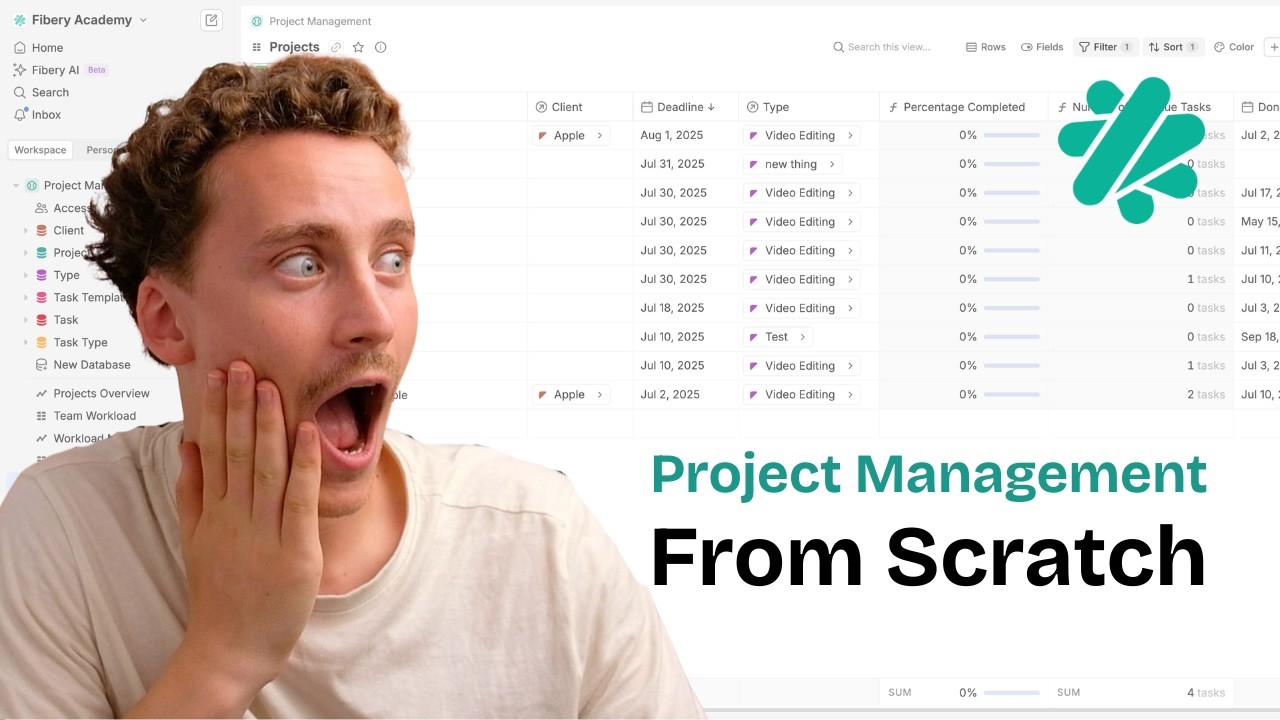
build project management in fibery from scratch
By Ron May 12, 2026 10 min. read
what you’re actually building
This setup is not the universal project management system. That way lies pain, overengineering, and a workspace nobody wants to touch.
It is a solid Fibery structure for teams that need to manage projects, tasks, templates, workload, and client visibility in one place. Especially if your current system is spread across docs, chats, sticky notes, and someone’s heroic memory.
The core idea is simple:
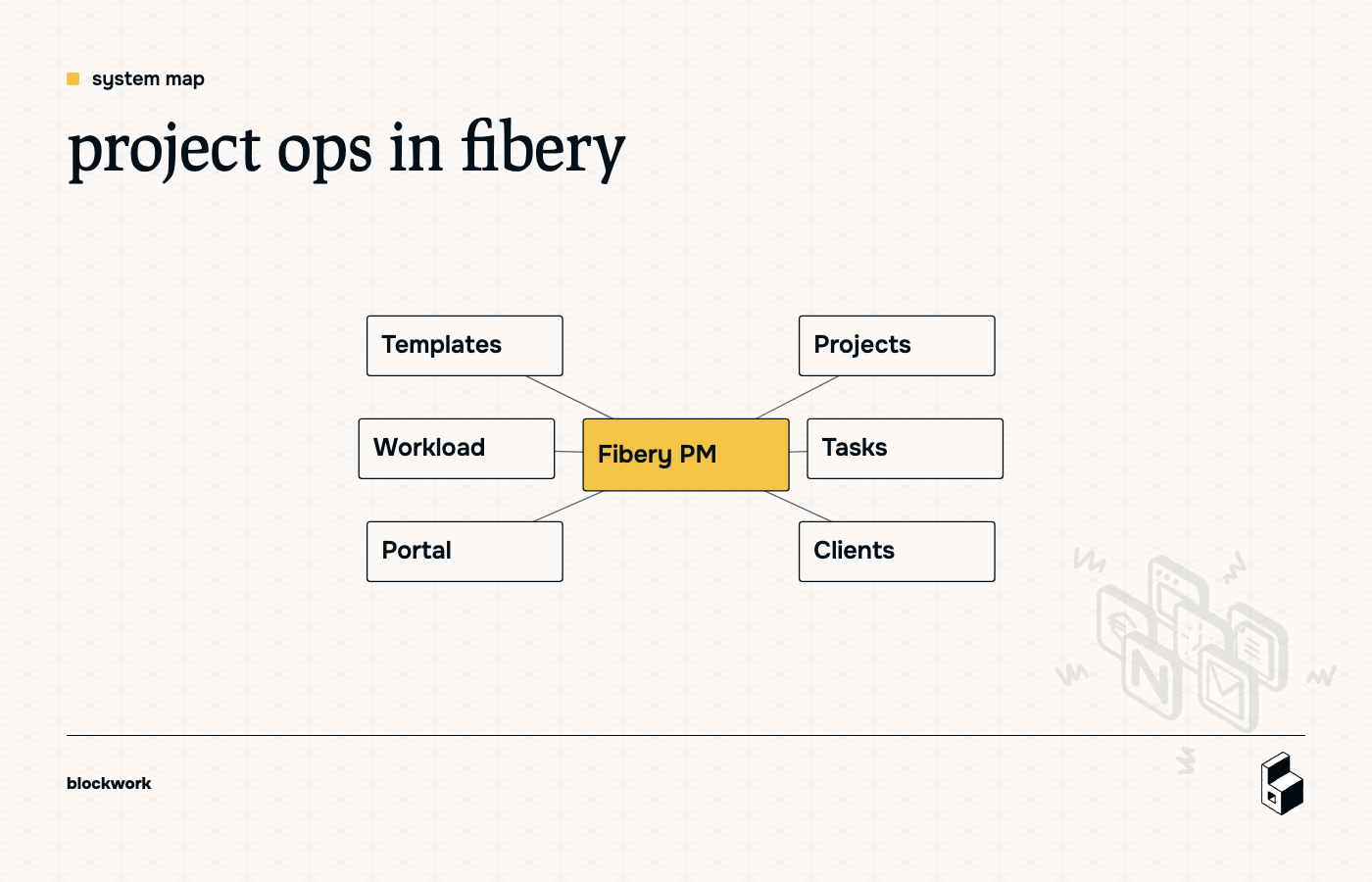
- Projects belong to Clients
- Projects contain Tasks
- Tasks belong to people
- Project Templates generate repeatable work
- Views show each person only what they need
If you get the structure right, the rest gets much easier. If you get the structure wrong, you’ll spend your week fighting formulas and explaining to your team why there are seventeen versions of the same task.
start with the data model, not the views
Fibery rewards you for thinking in databases first.
In this build, the key databases are:
- Client
- Project
- Task
- Project Template
- Task Template
- Task Type
- Users
The important bit is not the list. It’s the relationships.
the core relationships
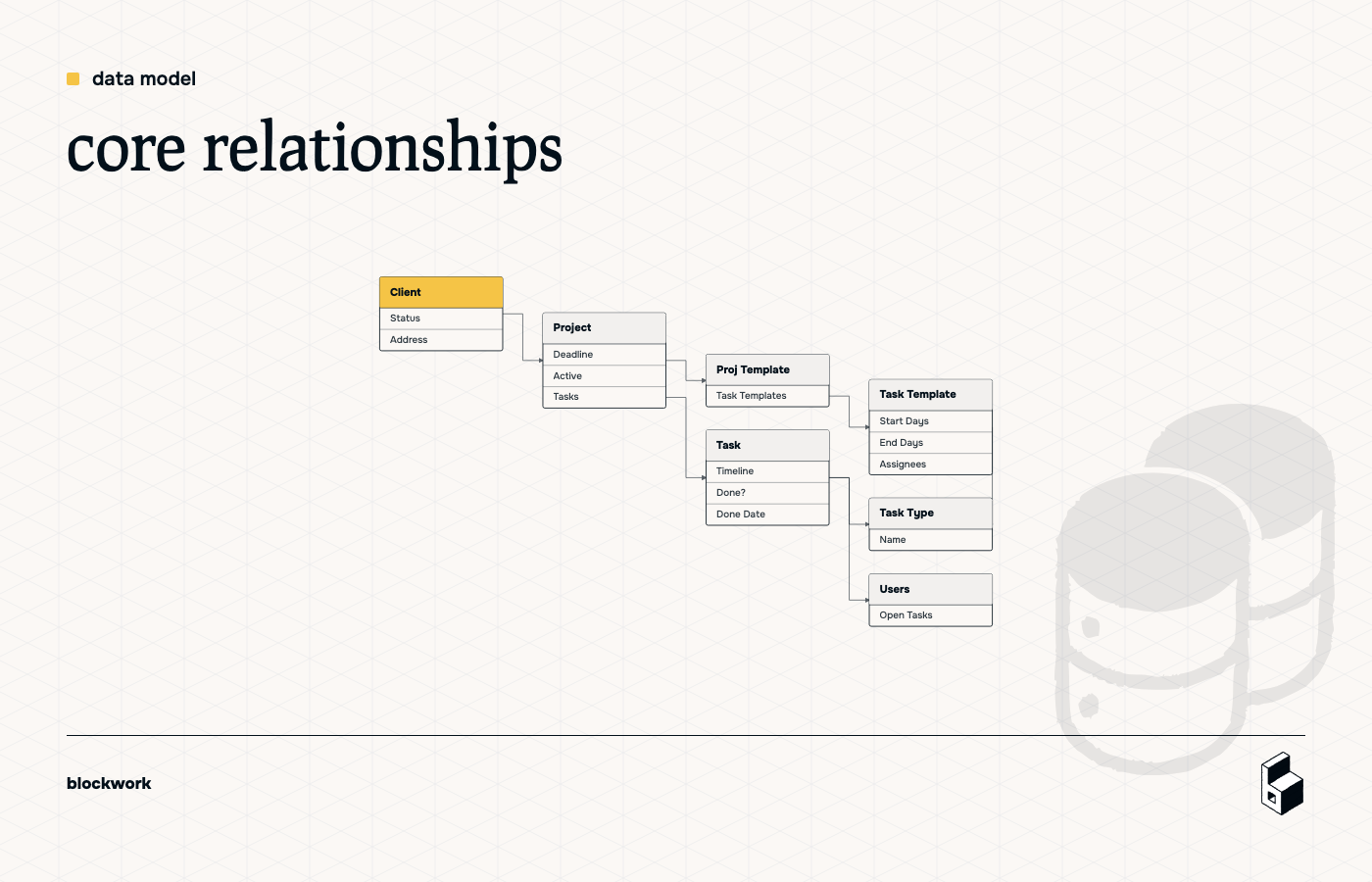
A clean version looks like this:
- One Client has many Projects
- One Project has many Tasks
- One Project Template has many Task Templates
- One Project uses one Project Template
- One Task Type can be used by many Tasks and Task Templates
- One Task can have one or more Assignees
That structure does two useful things:
- It keeps reporting sane.
- It makes automation possible without weird workarounds.
don’t use single-select when it should be a database
A classic trap: using a single-select for Clients.
Looks tidy at first. Then you want to:
- see all projects for a client,
- report on client health,
- add client-specific fields,
- build a portal view.
And now your cute dropdown has become a liability.
If something is a real thing you want to track, it should usually be its own database.
Use single-selects for lightweight labels like status, maybe. Not for major business objects.
the minimum useful fields
You do not need fifty fields on day one. You need the fields that let work move.
client
Useful starting fields:
- Name
- Address
- Status
project
Useful starting fields:
- Name
- Client
- Deadline
- Tasks
- Project Template
- Start Date from Tasks — formula
- Active — formula
- Percent Complete — formula
task
Useful starting fields:
- Name
- Project
- Assignees
- Timeline
- Done?
- Done Date
- Type
- Comments
why the project should have a deadline, not a manually managed full timeline
One of the better ideas in the walkthrough is this: let the project start date come from tasks, instead of manually maintaining both project start and end dates.
Why? Because task timelines already tell you when work starts and ends. Duplicating that manually at the project level is how systems drift out of sync.
So instead:
- store a project Deadline
- calculate the project Start Date from the earliest task start
- optionally calculate project completion from task progress
Less typing, fewer lies.
build entity views people can actually use
A system can be technically correct and still deeply annoying.
Fibery gives you a lot of flexibility inside entity views. Use it to reduce clutter.
For task views, show the fields people need most:
- Done?
- Project
- Type
- Timeline
- Assignees
Hide the admin-flavored junk unless someone genuinely needs it:
- Created By
- Creation Date
- Modification Date
- internal helper fields
A good rule: if a task doer sees a field and thinks, “What am I supposed to do with this?”, hide it.
add the first automations early
Automations are where the system starts acting less like a database and more like a teammate.
The first useful one is tiny:
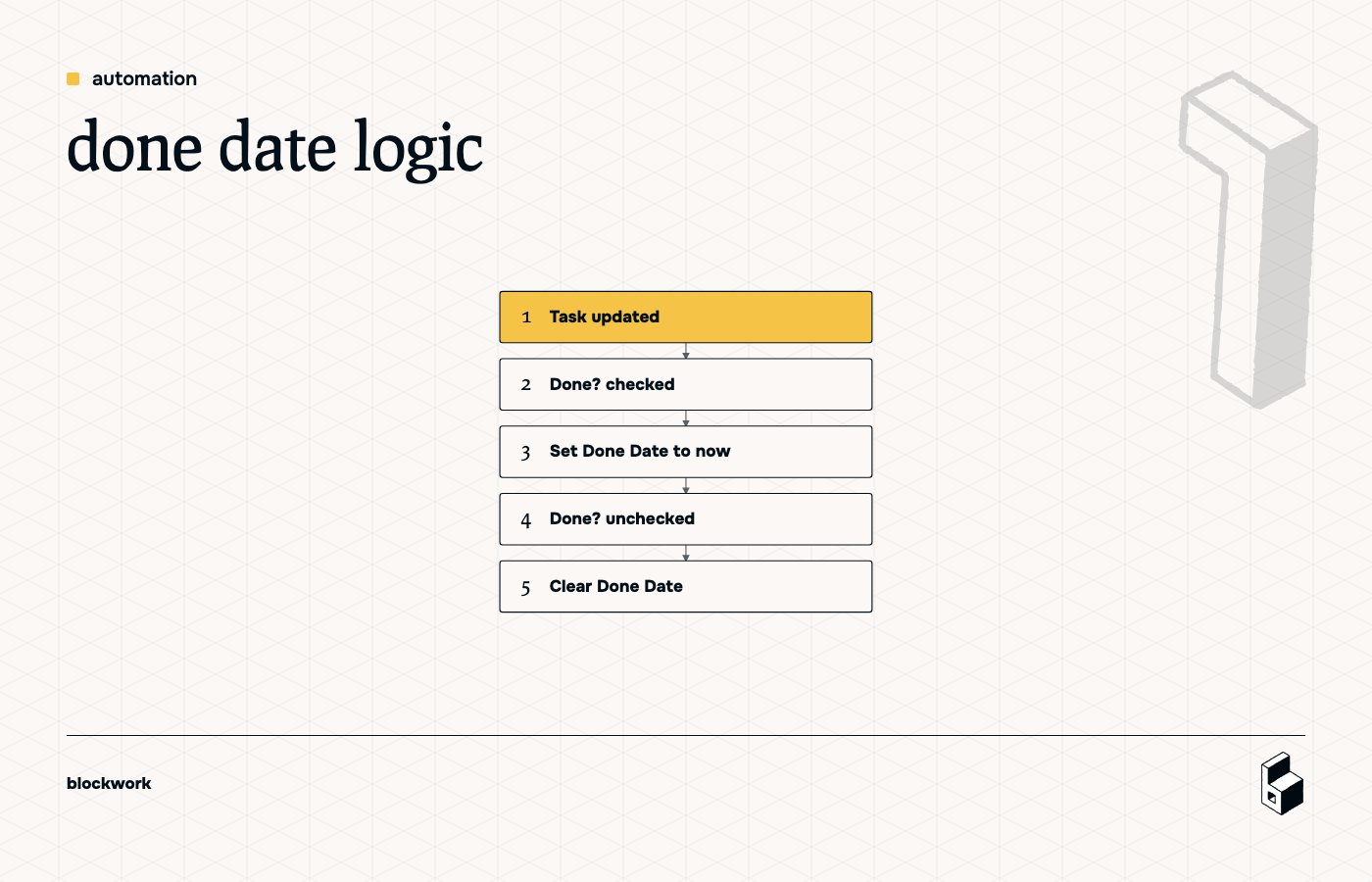
when a task is marked done, stamp the done date
- Trigger: Task updated
- Condition: Done? is checked
- Action: set Done Date to now
Then add the reverse:
- Trigger: Task updated
- Condition: Done? is unchecked
- Action: clear Done Date
That second rule matters more than it looks. If someone marks a task done by mistake, your reporting shouldn’t pretend history happened.
This is also a good Fibery lesson: two simple rules are often better than one clever rule nobody understands three weeks later.
use formulas to remove redundant fields
Fibery gets much better once you stop asking, “What fields should I add?” and start asking, “What can I infer?”
A few strong examples from this build:
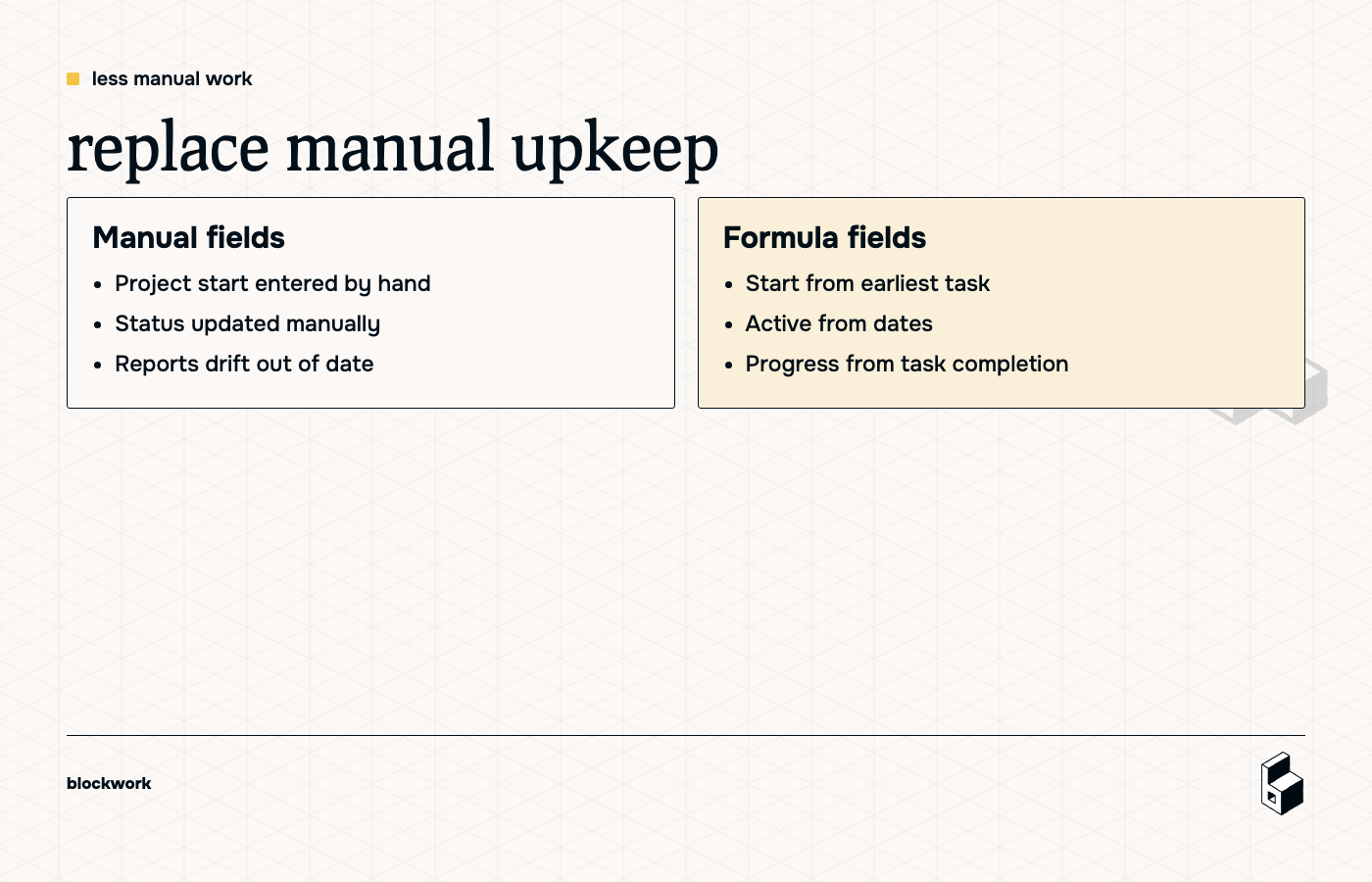
project start date from tasks
Calculate the project start from the earliest task start date.
project active status
Instead of filtering manually every time, create an Active formula based on whether today falls between project start and deadline.
percent complete
Calculate progress from task completion instead of updating a project status by hand every day like it’s 2014.
The less duplicate data you maintain, the less cleanup you’ll need later.
build templates the right way
This is where most people try the obvious thing first:
- create a sample project,
- duplicate it,
- expect all related tasks to duplicate cleanly.
Fibery politely refuses to share your optimism.
Duplicating an item does not automatically give you a complete reusable project machine. Related records, dates, and structure need more intention than that.
the better pattern
Create two extra databases:
- Project Template
- Task Template
Then connect them:
- One Project Template has many Task Templates
- One Project can be linked to one Project Template
Each Task Template stores relative timing, not fixed dates:
- Days to Start Before Deadline
- Days to End Before Deadline
- Type
- Assignees
- Description
That means when you create a new project and choose its template, Fibery can generate the tasks relative to the project deadline.
So instead of hardcoding:
- Task starts on March 3
- Task ends on March 5
You store logic like:
- Task starts 6 days before project deadline
- Task ends 4 days before project deadline
That’s what makes the template reusable.
how the template automation works
When a Project gets linked to a Project Template:
- look up the related Task Templates
- create a Task for each one
- copy over name, type, assignees, and description
- calculate each Task timeline from the Project deadline
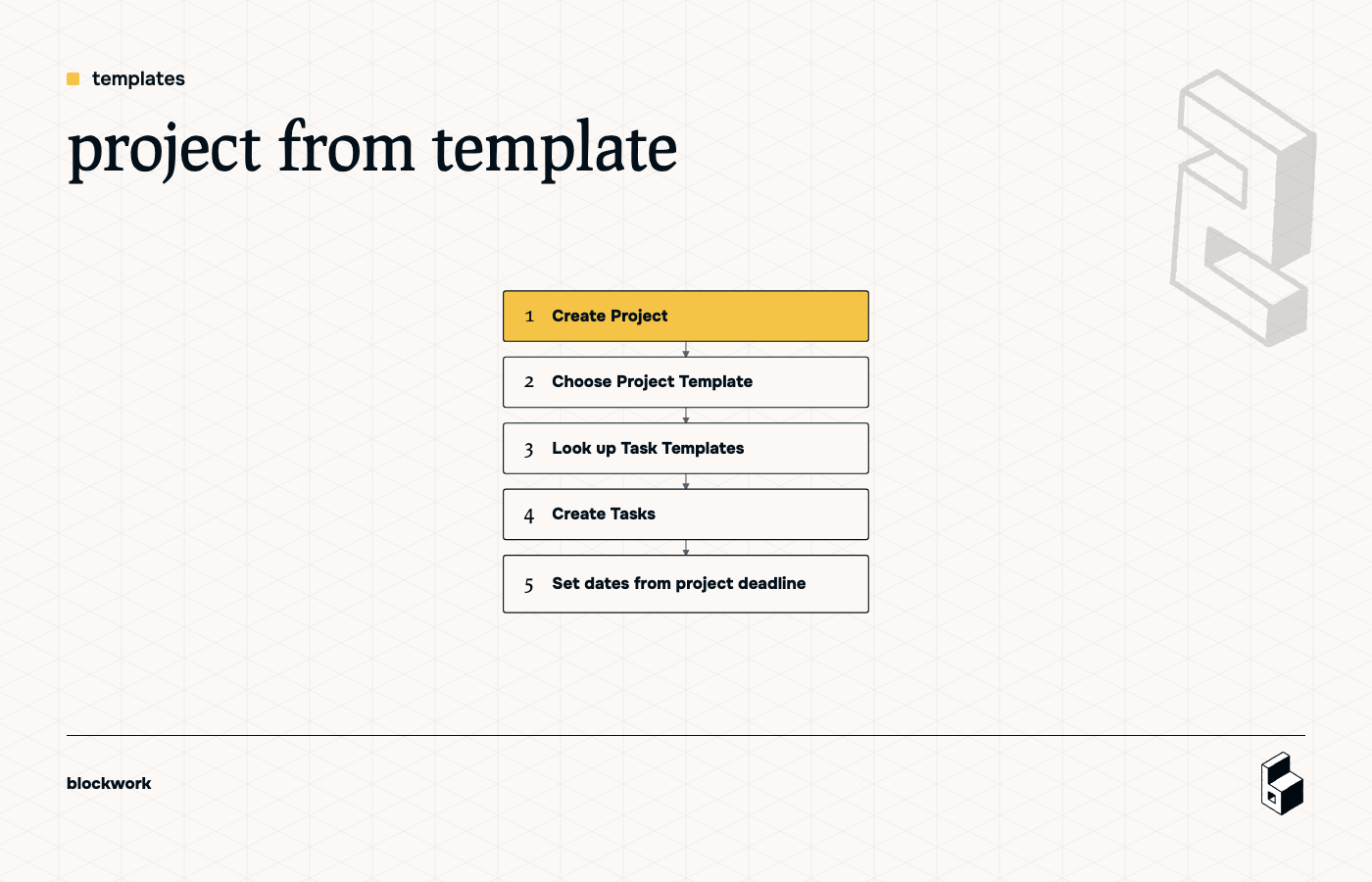
That gives project managers a realistic way to spin up repeatable work without rebuilding every task by hand.
one important guardrail
Only run the template creation rule when the Project has no tasks yet.
Otherwise, changing the template later can create duplicates. Which is a fun surprise for exactly nobody.
A simple condition like “Tasks is empty” prevents most of that chaos.
standardize task types across templates and live work
Another sneaky gotcha: if Task Type on Task Templates is a different single-select from Task Type on Tasks, you’ve built yourself a future headache.
Values may look the same while actually being different under the hood. That leads to broken rules, mismatched groupings, and a lot of confused staring.
The cleaner fix is to use a real Task Type database and relate both:
- Task → Task Type
- Task Template → Task Type
That way, templates and live tasks use the same source of truth.
let people work from views, not raw databases
Once the structure is in place, create role-friendly views.
for task doers
A My Tasks view filtered to:
- Assignee contains me
Sort by task end date so the urgent stuff floats up without anyone needing a color-coded crisis ritual.
for project managers
Useful views include:
- Active Projects
- All Projects
- Open Tasks
- Tasks by Type
- Projects on a Gantt or timeline
for template admins
Keep config tucked away in one area so your workspace doesn’t look like an unfinished kitchen renovation.
A simple config section for:
- Project Templates
- Task Templates
- Task Types
works well.
track workload without inventing fake capacity math
A practical first pass at workload is not “resource forecasting perfection.”
It’s this:
- count how many open tasks each user has
- optionally filter to tasks active today
- view it by person
- trend it over time with historical reporting
That gives managers a quick answer to:
- Who’s overloaded?
- Who’s free-ish?
- Who has become the default owner of everything again?
A useful formula on Users is:
- Number of Open Tasks
Based on related tasks where:
- Done? is false
- today falls inside the task timeline
Then build a historical chart from that field so you can see workload trends over time, not just the current snapshot.
the client portal comes after the internal model
The transcript starts with a project management tool and client portal, but the important sequencing is this:
build the internal system first.
If your core model is messy, the portal just becomes a prettier window into the mess.
Once the internal structure is stable, the client-facing layer is much easier:
- clients see their projects
- they see status and timeline
- they don’t see internal admin fields
- access is limited to what belongs to them
That’s a much saner starting point than trying to design the external experience before your own team can trust the data.
a good version of this system is opinionated
A few opinions from the build that are worth keeping:
keep relationships as specific as reality allows
If a task belongs to one project, model it that way. Don’t default everything to many-to-many “just in case.”
Future flexibility is nice. Broken formulas are not.
hide complexity from editors
Creators should build the structure. Editors should use it.
If your team needs creator-level understanding to complete daily work, the setup is doing too much.
build once, then stop tinkering
The whole point of this kind of Fibery build is that after setup, the team should mostly operate as editors. If normal work requires constant schema changes, the system isn’t finished yet.
what to build first if you’re doing this yourself
If you want the shortest path to something useful, do it in this order:
- Create Client, Project, Task, and Task Type databases
- Add the core relationships
- Add task fields: Assignee, Timeline, Done?, Done Date, Type
- Add project fields: Deadline, Start Date from Tasks, Active
- Build My Tasks and Active Projects views
- Add the done-date automation
- Add Project Template and Task Template databases
- Build template automation from project deadline
- Add workload reporting
- Add client-facing views only after internal workflows feel solid
That sequence gets you a working delivery system before you disappear into the nice-to-have cave.
the big takeaway
Fibery is not magic. It’s a very flexible modeler.
That means the quality of the result depends on the quality of your thinking.
If you define the right entities, use relationships properly, avoid duplicate fields, and automate the repetitive bits, you get a system that actually fits how your team works.
If not, you get a very expensive sculpture made of dropdowns.
And nobody needs that.
Keep reading