monday vs fibery: which fits your work
By Ron May 12, 2026 6 min. read

the real difference isn’t features
Monday.com and Fibery both sell the same dream: one place to run your work.
That’s true enough to be confusing.
The useful difference isn’t the marketing page. It’s the mental model underneath the tool. Monday.com is board-first. Fibery is database-first. Once you get that, most of the setup, day-to-day use, and scaling tradeoffs make a lot more sense.
Monday.com: each project gets its own box
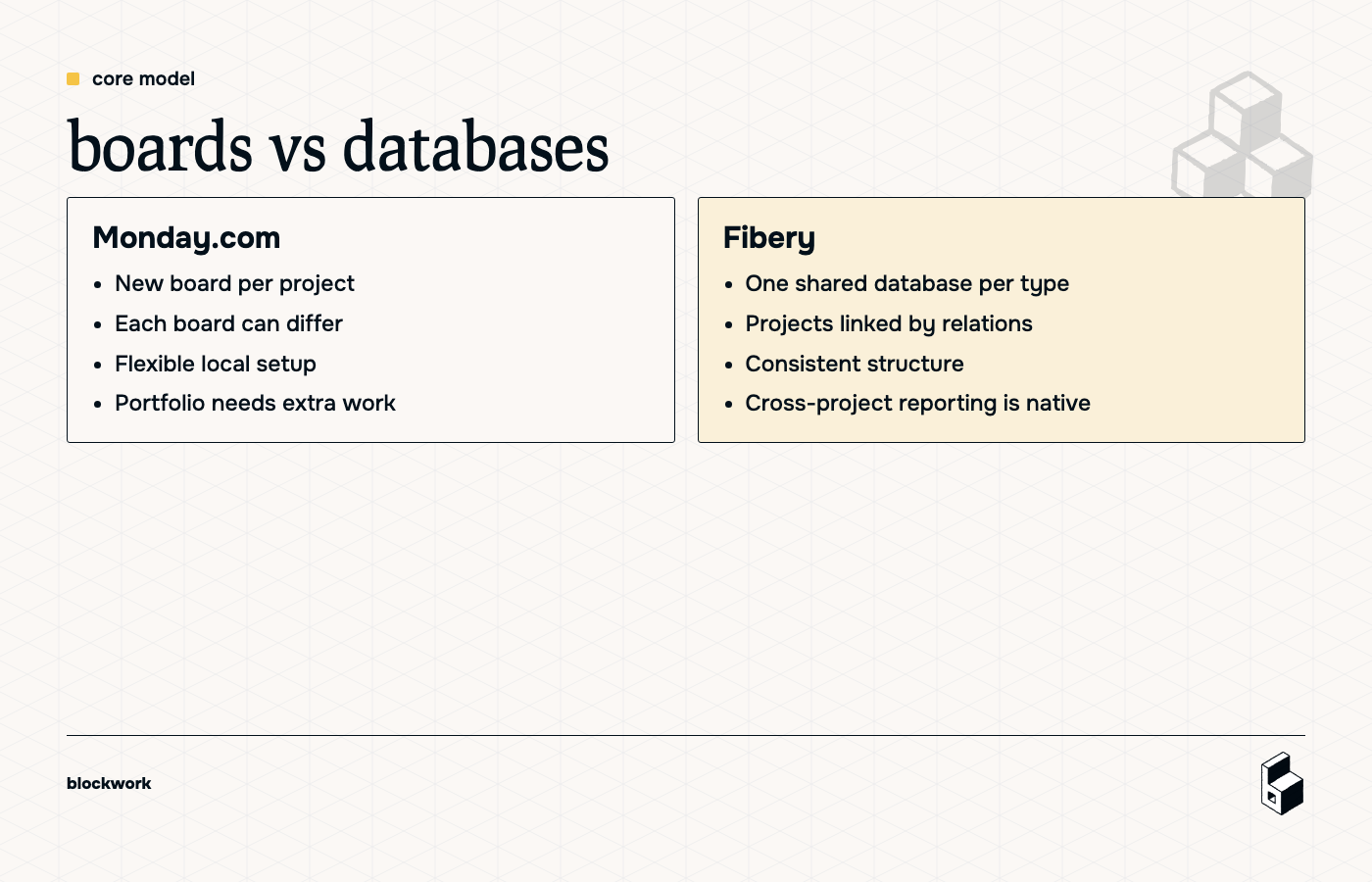
In Monday.com, the default pattern is simple: make a board for a project, put tasks inside it, add columns like owner, due date, and status, and off you go.
When a new project starts, you usually create a new board. That’s the core idea.
Why teams like this:
- Each project can have its own columns, views, and quirks
- A project owner can adapt the setup without changing everyone else’s work
- It feels visual and approachable fast
Why it gets messy later:
- Every project becomes its own container
- Portfolio reporting becomes extra work
- Cross-project consistency is optional at best
- Linking project boards back to one master overview can get clunky
That flexibility is great when projects genuinely work differently. It’s less great when your business needs the same process repeated 50 times without someone reinventing it on every board.
Fibery: one system, many views
Fibery flips the logic.
Instead of making a new task container for every project, you keep one Tasks database and one Projects database. Then you connect them with relations.
So Project A has its tasks, Project B has its tasks, and you can still create project-specific views without creating separate task worlds.
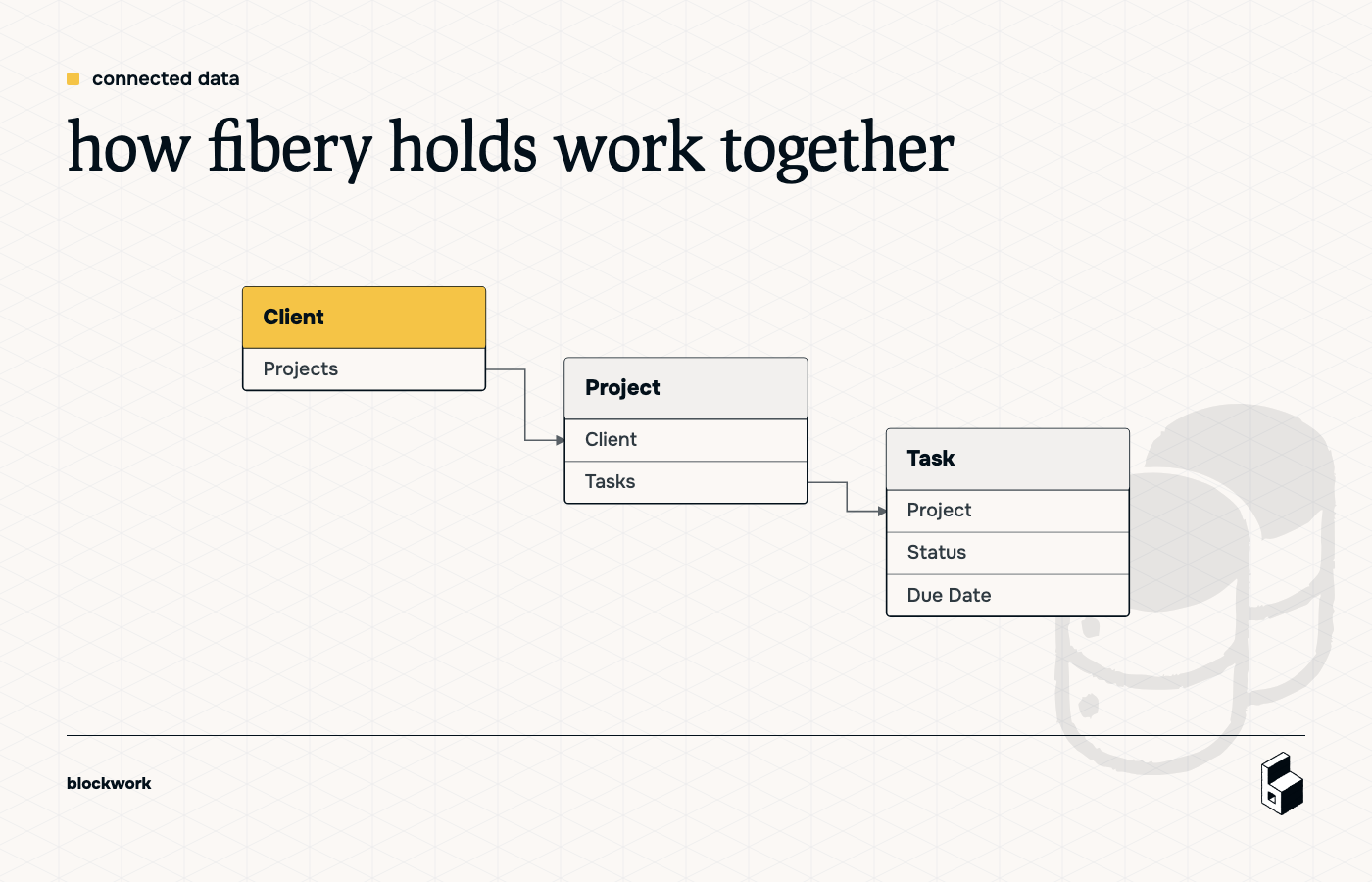
This is the win:
- Data stays connected
- Reporting works across all projects
- You can model clients, projects, tasks, docs, and decisions in one structure
- Views are flexible without breaking the underlying system
This is also the catch:
- If you add a field to Tasks, you add it for everyone
- You need someone to design the workspace properly
- Structure matters more upfront
So yes, Fibery is more scalable. It’s also less forgiving if you want every team member freelancing their own process design.
setup tells you what each tool believes
A tool’s setup process usually reveals its worldview.
how Monday.com wants to work
To make a reusable project setup in Monday.com, you’ll typically:
- Build a project board
- Add the columns and starter tasks you want
- Create a portfolio or master board
- Connect the project board to that master board
- Save the project board as a template
- Add automation to create a new board from that template
- Manually check that tasks and project links are connected the right way
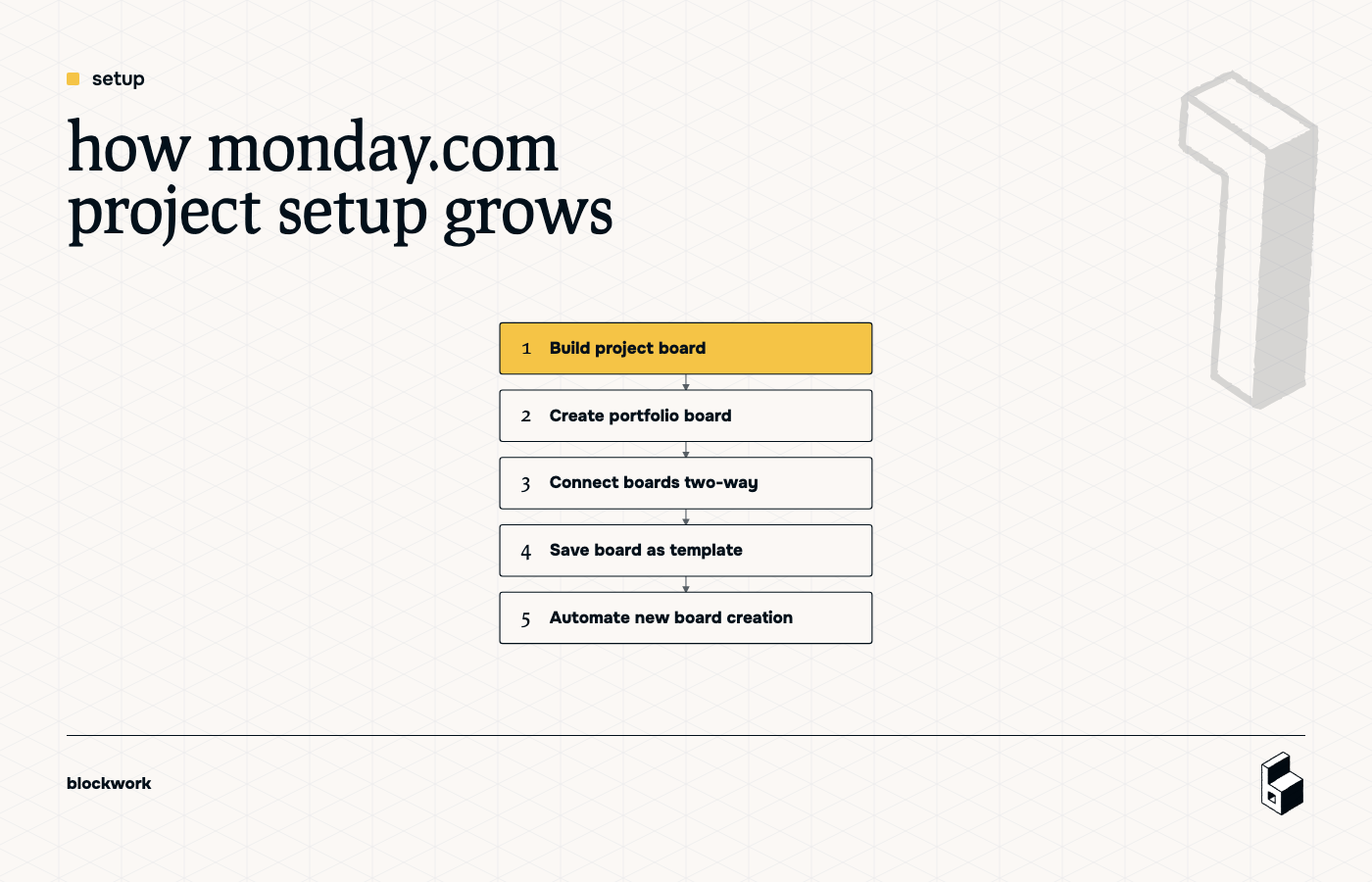
It works. But it’s very clearly built around boards as separate units.
That’s why portfolio management becomes a feature set of its own, and why some of the cleaner scaling options sit behind higher plans.
how Fibery wants to work
In Fibery, the setup is more like system design:
- Create databases like Project and Task
- Add the relation between them
- Define shared fields once
- Create views inside entities to show related work
- Let users work inside the structure you designed
You’re not templating project containers. You’re defining a model that every project will use.
That means a project can automatically show its related tasks inside the project record, and those views stay consistent across the workspace.
daily use: freedom vs guardrails
This is usually where the choice becomes obvious.
Monday.com is better when variation is the point
If each project needs custom fields, custom tracking, and room for different managers to run things differently, Monday.com feels natural.
Each board can evolve on its own. That’s useful when the work itself is inconsistent.
The downside is predictable: your system reflects every local preference. After a while, you haven’t built one operating system. You’ve built 27 mildly related ones.
Fibery is better when consistency is the point
Fibery is better when you want the tool to enforce how work should run.
That’s especially useful for agencies and growing service businesses where the structure matters more than individual project creativity. If every client project should move through similar stages, use similar data, and roll up into the same reporting, Fibery is playing the right game.
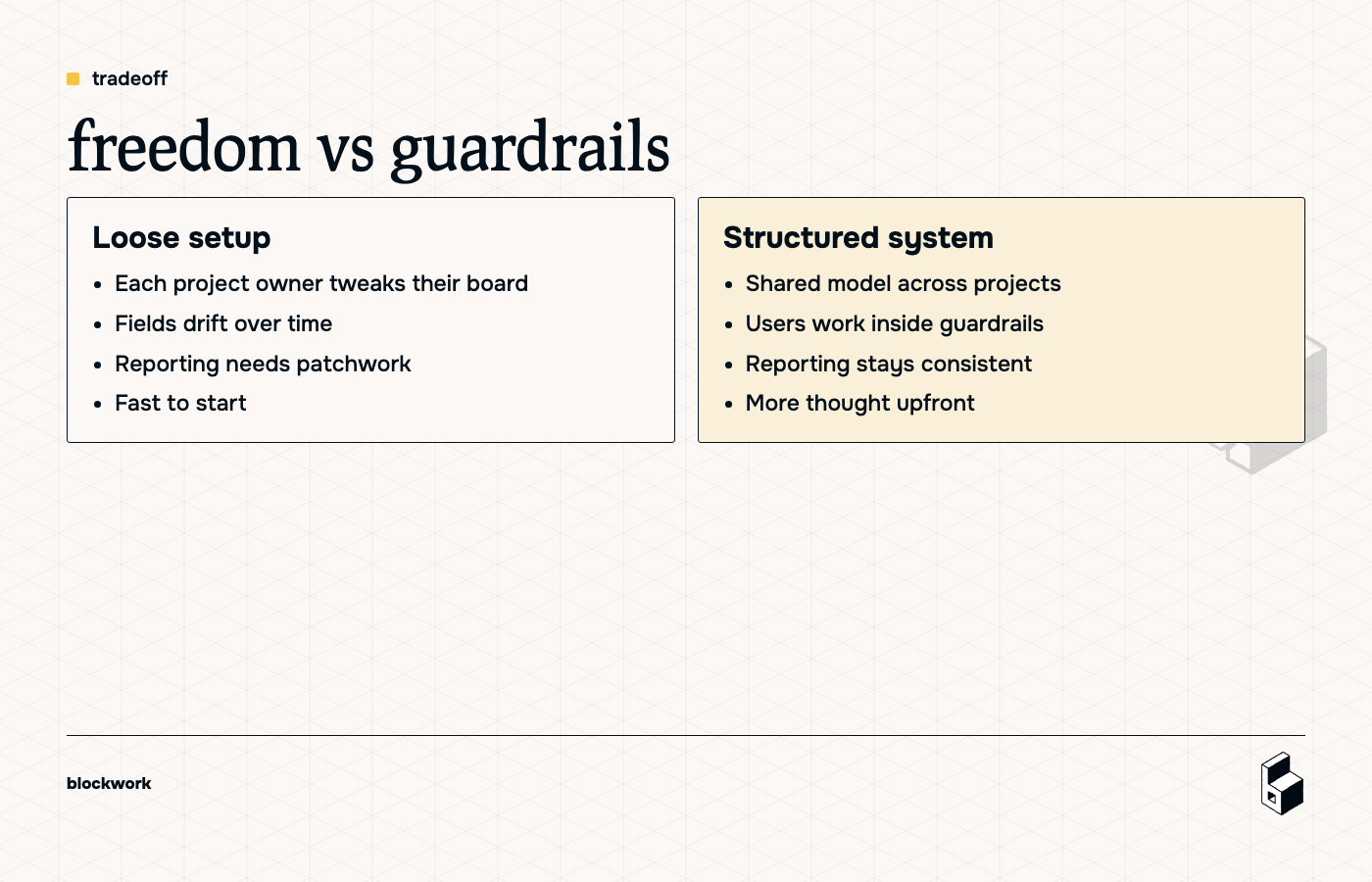
The tradeoff is cultural as much as technical. Monday.com says, “Make the board work for you.” Fibery says, “Let’s agree how the business works, then use that everywhere.”
relationships and hierarchy are where Fibery pulls away
This is the biggest gap if your business has connected work.
Say you need to model:
- Clients
- Projects
- Tasks
- Documents
- Meetings
- Decisions
In Monday.com, you can connect boards, but the structure is not the native center of gravity. In Fibery, relationships are the point.
That means you can do things like:
- See a client and all related projects
- Open a project and see all related tasks
- Roll up work across accounts or teams
- Build views that reflect the same underlying data instead of copying it around
If your business runs on linked information, not isolated checklists, that matters a lot.
integrations: broad app power vs structured data sync
Both tools integrate. They just care about different jobs.
Monday.com integrations
Monday.com is stronger if you want lots of app-style actions across tools.
Think:
- Syncing with Google Calendar
- Moving files around
- Triggering actions in other tools
- Using marketplace apps with custom behavior
It’s broader and more operationally flexible.
Fibery integrations
Fibery is especially good at pulling external data into Fibery in a structured way.
That means when you connect a source, Fibery can create databases, fields, and relationships so the data becomes part of your workspace model.
That’s a different kind of power. Less “do anything anywhere,” more “bring the important business data into one connected system.”
If you want a work hub, Monday.com may feel stronger. If you want a business graph, Fibery usually wins.
pricing: similar overall, different gotchas
Pricing is broadly in the same neighborhood, but a few details matter.
Monday.com pricing quirks
- Has a lower entry tier than Fibery
- Free plan is limited fast
- Seat pricing is sold in bundles, not always exact headcount
- Some portfolio-style functionality gets better on higher plans
Fibery pricing quirks
- No basic plan equivalent
- Free plan is more generous for team size
- Seats are charged per actual user invited
- Automation capacity grows with user count
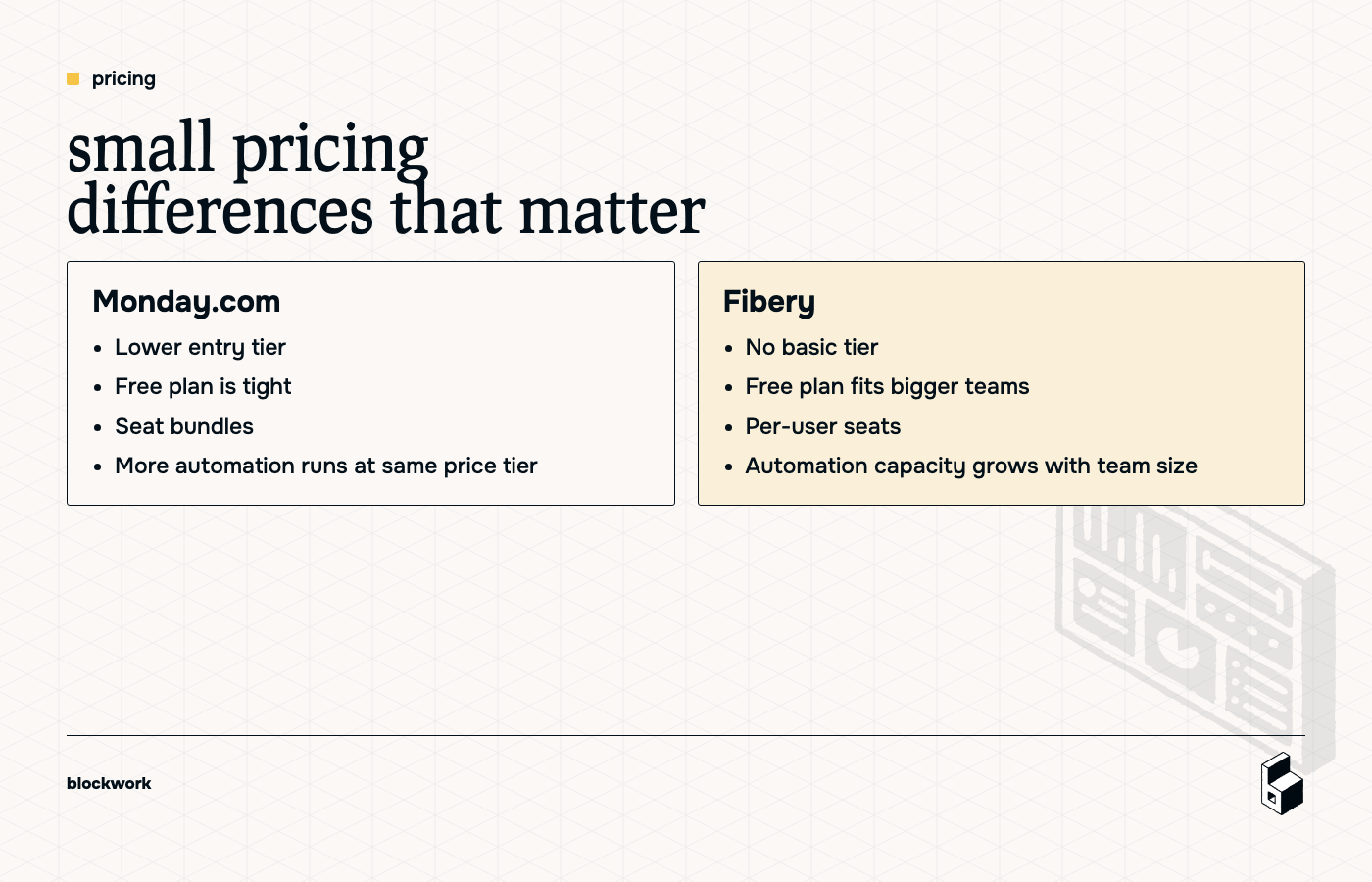
So the winner depends less on sticker price and more on how your team grows, how many projects you run, and whether you need structure-heavy features early.
who should pick what
pick Monday.com if…
- You have fewer active projects
- Projects differ a lot from each other
- Teams need local autonomy more than global consistency
- You want a visual, board-led tool people can tweak freely
- Cross-project structure is nice to have, not mission critical
pick Fibery if…
- You run repeatable work across many projects
- Your team needs shared structure, not custom boards everywhere
- Clients, projects, tasks, and other data need to relate cleanly
- You want the system to reinforce process
- You’re building an operating system, not a collection of project boards
the shortest honest answer
Monday.com is better when flexibility per project matters more than consistency across the business.
Fibery is better when consistency across the business matters more than flexibility per project.
Neither is “better” in the abstract. One gives you more local freedom. The other gives you more system integrity.
If your team is already drowning in tool sprawl, duplicated setup, and portfolio reporting hacks, that difference is not academic. It’s your next six months.
If you’re leaning Fibery, that’s our territory. We help growing teams turn the mess into a system that actually holds together.
Keep reading